Guides · November 17, 2026 · 7 min read
Habit Tracker for ADHD: 9 Strategies That Actually Help
Most habit advice assumes you will remember to do the thing, feel like doing it, and keep doing it once the novelty wears off. With ADHD, all three can be hard. That is not a lack of willpower. ADHD affects executive function: the brain skills behind planning, working memory, starting tasks and sensing how much time has passed.
The good news is that habits are still very possible. They just need a different setup: less relying on memory and motivation, more relying on cues you can see and a system that forgives bad days.
Short answer
Note: we make HabitPal, and this guide ends with how to set it up. The strategies work with any tracker, or with paper. This article is general information, not medical advice.
Why habits are harder with ADHD
- Out of sight, out of mind. Working memory holds plans for a short time. If nothing reminds you at the right moment, the habit simply does not come up.
- Time blindness. "Later today" is easy to say and hard to feel. Habits planned for "sometime this evening" drift until it is midnight.
- Interest beats importance. New and interesting things get attention easily. A habit that was exciting on day one can feel invisible by day ten.
- All-or-nothing thinking. Miss one day, the streak breaks, and the whole habit can feel ruined.
ADHD researcher Russell Barkley describes the fix as working at the point of performance: put the reminder, the information and the motivation exactly where and when the behavior needs to happen, instead of expecting your brain to hold it.
9 strategies that actually help
- Make the habit almost too small. "Read one page", "two push-ups", "put on running shoes". Starting is the hardest part, so remove the effort from the start. See the two-minute rule.
- Attach it to something you already do. "After I pour my coffee, I take my vitamins." An existing routine is a cue that shows up on its own. Here are 25 habit stacking examples.
- Put the cue where the habit happens. The book on your pillow, the water bottle on your desk, the yoga mat already unrolled. This is the point of performance in practice.
- Keep habits on screen, not in an app folder. A home screen widget, a lock screen widget or a watch complication means you see your habits dozens of times a day without opening anything.
- Use reminders sparingly and at specific times. One reminder at the moment you can act ("8:00, after breakfast") beats five vague ones that you learn to swipe away.
- Track one to three habits. A list of twelve habits is a to-do list, and an overwhelming one. Add a new habit only when the current ones feel automatic.
- Plan for missed days. Use a never-miss-twice rule, and allow planned skips for sick days or travel. Research on habit formation found that missing a single day did not meaningfully slow progress, and habits take around 66 days on average to become automatic.
- Bring in another person. Body doubling (doing the task while someone else is around) and accountability both add outside structure. Even a friend who can see your check-ins helps. More in why habits stick better with an accountability partner.
- Refresh it when it gets boring. Change the time, the place, the reward or the habit's icon. Small bits of novelty keep it from fading into the background.
What to look for in a habit tracker for ADHD
| Feature | Why it matters with ADHD |
|---|---|
| One-tap check-in | Every extra tap is a chance to get distracted and quit halfway. |
| Home and lock screen widgets | Keeps habits visible without relying on memory. |
| Apple Watch or wrist reminders | A cue on your body is hard to miss and easy to act on. |
| Habits grouped by time of day | Turns "sometime today" into morning, afternoon or evening. |
| Calendar or heatmap view | Shows how many days you showed up, so one miss does not erase the progress. |
| Skip days | Sick days and travel do not count as failures. |
| Friends or shared habits | Adds gentle outside accountability. |
| Simple design | Fewer screens and settings means less to get lost in. |
How to set up HabitPal for ADHD
Here is a simple starting setup. It takes about five minutes.
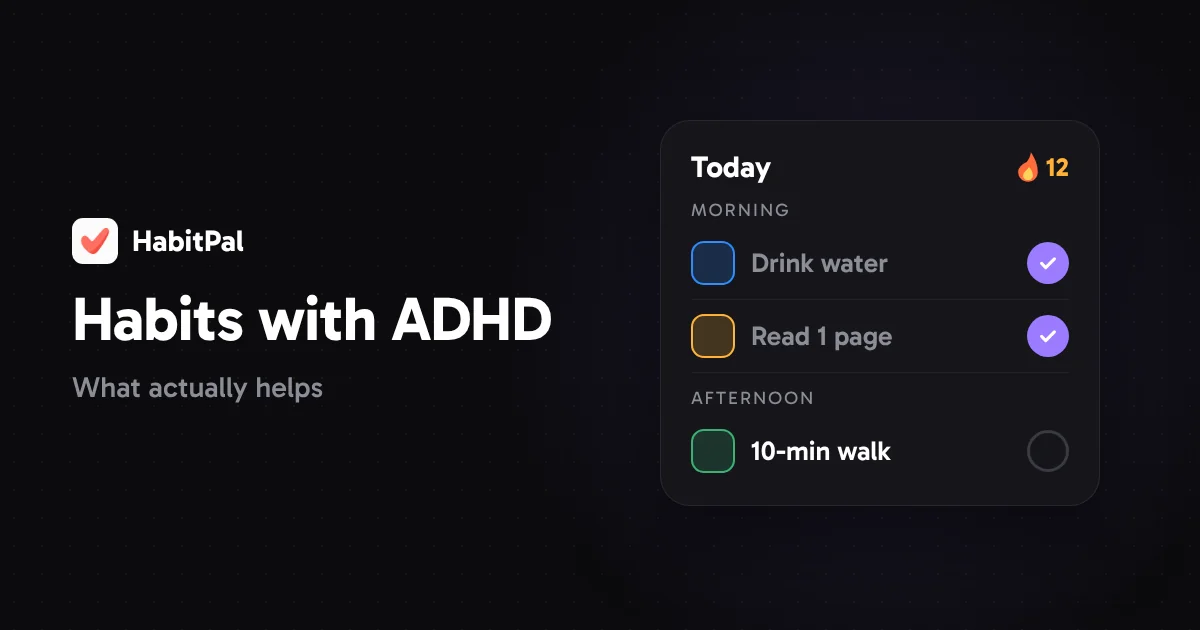
- Add one to three tiny habits and put each one in a part of the day: Morning, Afternoon, Evening or All Day. For example, "Drink a glass of water" in Morning and "10-minute walk" in Afternoon.
- Set a goal that is easy to hit. One page, not thirty. For time-based habits, use the built-in timer with a short goal like 5 minutes, and raise it later.
- Add a widget to your home screen and lock screen so you can see and check habits without opening the app. Our guide to habit tracker widgets shows how.
- Turn on one reminder per habit at the time you can actually do it.
- Use your Apple Watch if you have one, so you can check off a habit from your wrist. See Apple Watch habit tracking.
- Invite one friend. They can see your progress and send you a nudge on days you slip.
Then judge your week by the heatmap, not by the streak. Four out of seven days in the first week is a good start.
Try HabitPal free
Tiny habits, one-tap check-ins, widgets, Apple Watch and a friend who nudges you when you slip.
Frequently asked questions
Do habit trackers work for ADHD?+
They can, if the tracker is fast and visible. The tracker itself does not create the habit. What helps is that it puts a cue in front of you (a widget, a watch face, a reminder) and makes progress something you can see. Apps that take many taps or hide your habits behind menus are usually abandoned within a week or two.
Are streaks bad for people with ADHD?+
Streaks motivate many people, but a broken streak can trigger an all-or-nothing reaction: once the number is gone, why bother? Use streaks with a safety net. Allow yourself to skip planned days, follow a never-miss-twice rule, and look at a calendar or heatmap that shows how many days you did the habit, not only the current streak.
How many habits should I track with ADHD?+
Start with one to three. Every extra habit adds a decision and a reminder. Once those feel automatic, usually after several weeks, add one more.
Is a paper habit tracker or an app better for ADHD?+
Whatever you will actually see. A paper tracker on the fridge works if you walk past it every day. An app works if it sits on your home screen, lock screen or watch. A notebook in a drawer or an app buried in a folder fails for the same reason: out of sight, out of mind.
Can a habit tracker replace ADHD treatment?+
No. A habit tracker is a support tool. If ADHD makes daily life hard, talk to a doctor or a mental health professional about diagnosis and treatment options.

